WordPress 3D Product Viewer
Add interactive 3D product viewers to your WordPress or WooCommerce store with the vitrine plugin. Gutenberg block with live preview.
vitrine provides a WordPress plugin with a native Gutenberg block. Search "vitrine" in the block inserter, paste your Showcase ID, and the 3D viewer appears on the published page — with a thumbnail preview right in the editor.
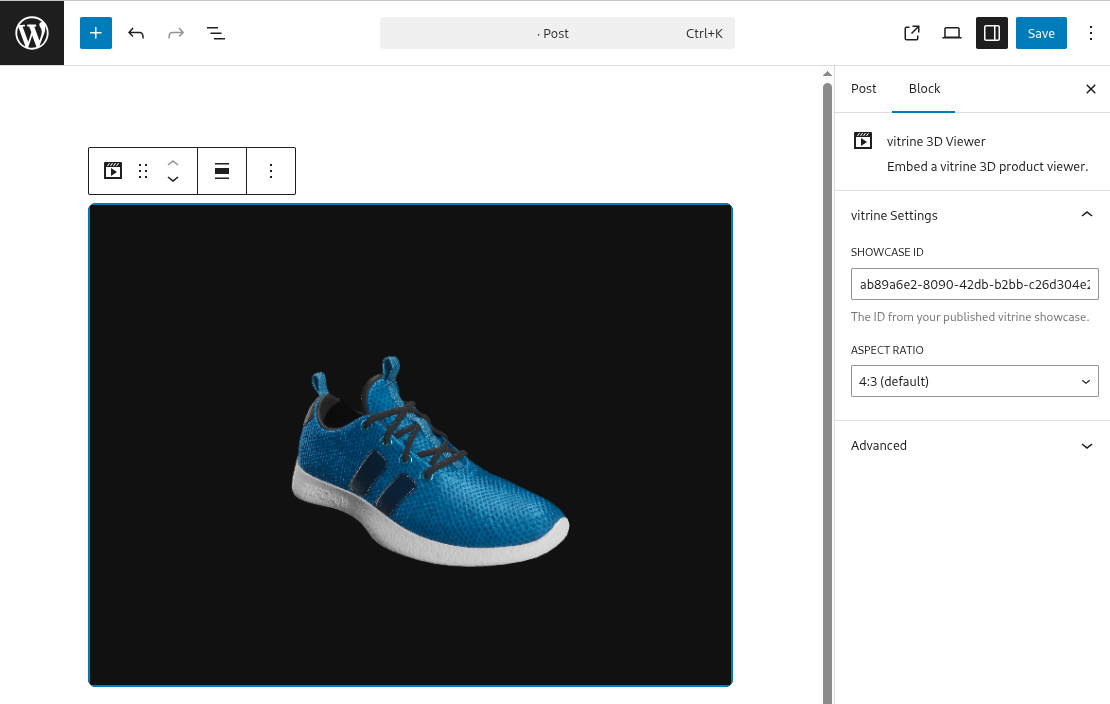
Get started
- Install the plugin from the WordPress plugin directory
- In any page or post, add the vitrine 3D Viewer block
- Paste your Showcase ID in the sidebar and pick an aspect ratio
Don't have a Showcase ID yet? Go to app.vitrine3d.com, upload a GLB model, style the scene, and publish it. The ID appears in the embed panel.
WooCommerce product pages
Add the vitrine block to any WooCommerce product description. The block works in both the product block editor and classic editor (via the block inserter).
For store-wide 3D on every product, add the block to a WooCommerce product template in the Site Editor (FSE).
Variant switching
If your product has color or material variants with different 3D models, use the JavaScript API to swap the viewer when the customer picks a variant:
jQuery('.variations_form').on('found_variation', function(event, variation) {
  const el = document.querySelector('[data-vitrine]');
  const showcaseId = variation.vitrine_id; // from a custom field
  if (el && showcaseId) {
    el.dataset.vitrineId = showcaseId;
    Vitrine.boot(el);
  }
});
Next steps
- Getting Started — upload your first model
- Embed Reference — all attributes and the JavaScript API
- Supported Formats — GLB requirements and optimization tips